Take the first snapshot
SunTrace records the current state of all five surfaces and stores it locally. The first scan takes a little longer because there is nothing to compare against, and every scan after it has a fixed reference to work with.
SunTrace takes snapshots of installed programs, startup entries, services, scheduled tasks and application files, then compares them so you can see what appeared, what was updated and what disappeared while you were doing something else. The history is written to a SQLite database on your own drive, and the application never needs an account, a cloud service or an internet connection to do its job.
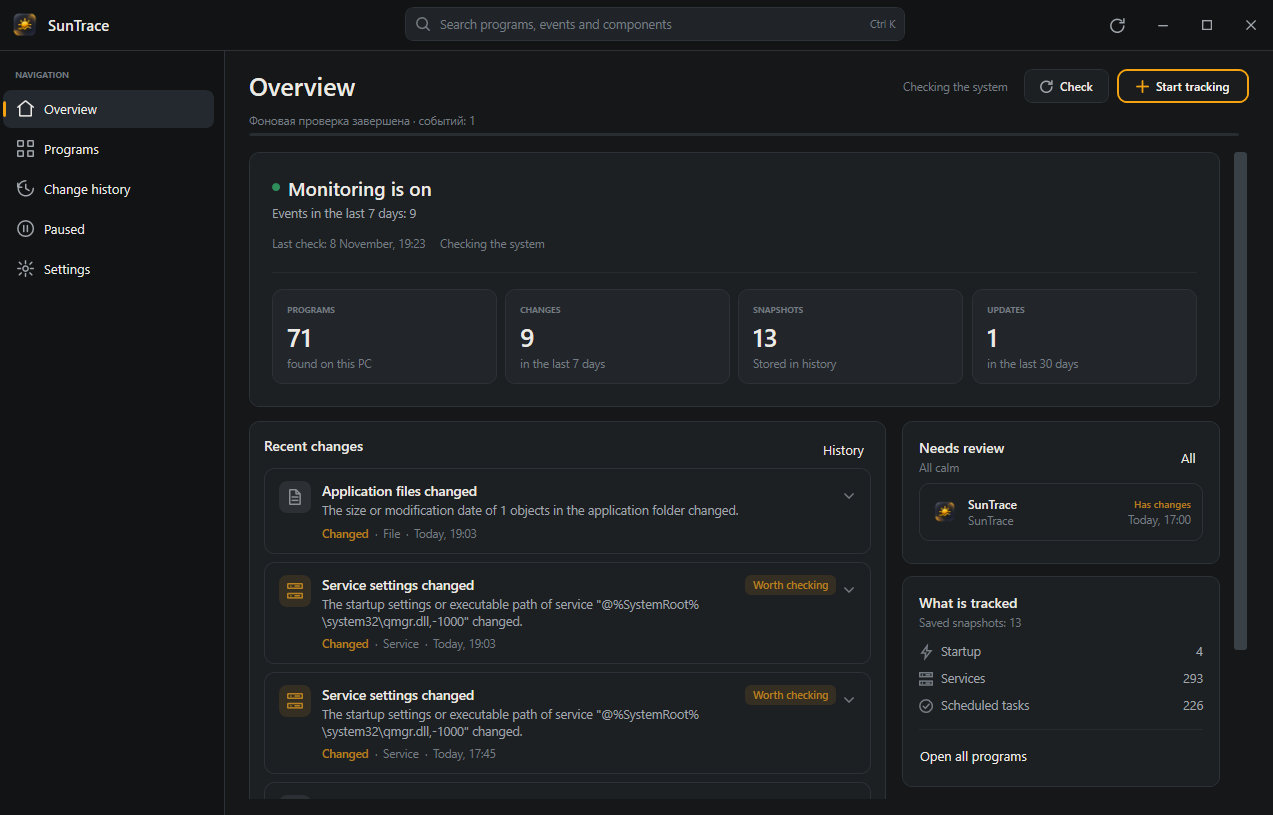
What gets watched
Unwanted software rarely announces itself. It adds a startup entry, registers a scheduled task, installs a service or changes a few files in a folder you already trust. SunTrace watches those surfaces together, because a single change rarely tells the whole story on its own.
The list of installed applications, including versions, publishers and install dates. A new entry here is often the first sign that something arrived, and a missing entry tells you what was removed even when its files stayed behind.
Select a surface to see what is recorded.
How it works
The first scan creates the reference point. Every later check compares the current state with the last saved snapshot and turns the differences into events with enough context to understand them.
SunTrace records the current state of all five surfaces and stores it locally. The first scan takes a little longer because there is nothing to compare against, and every scan after it has a fixed reference to work with.
Registry notifications, startup folder watchers and service events trigger a follow-up check a few seconds after something moves, while a periodic scan covers the rest. If nothing changed, no new snapshot is written and only the check time moves forward.
Each difference becomes an event that names the affected program, shows the path or key behind it, and marks how confident the association is. You can filter the history, open an item and decide whether it deserves a pause or a closer look.
An event is more than a line in a log. It keeps the affected application, the path behind the change, the before and after state, the source of the observation and the time it was recorded, so the evidence is still there when you come back to it later.
The size or modification date of one object in the application folder changed.
%LOCALAPPDATA%\Discord\app-1.0.9185\modules\discord_voice\Safe Pause
Turning something off is the easy part. Putting it back exactly as it was is where most cleanup tools become vague. Safe Pause records the original command, its enabled state and the registry or folder it came from before it changes anything, protects that record with DPAPI, and checks whether the component moved while it was paused before restoring it.
Registry Run key, current user
When the switch is on, SunTrace stores the command line, the enabled state and the source location locally, then restores them only if the entry still matches what it saved.
Privacy
SunTrace does not open network connections, does not include telemetry and does not ask you to create an account. Snapshots, events, settings, logs and exports live under your local application data folder, and the only time the application asks for elevated rights is when an operation genuinely needs them, through a separate process with a visible UAC prompt.
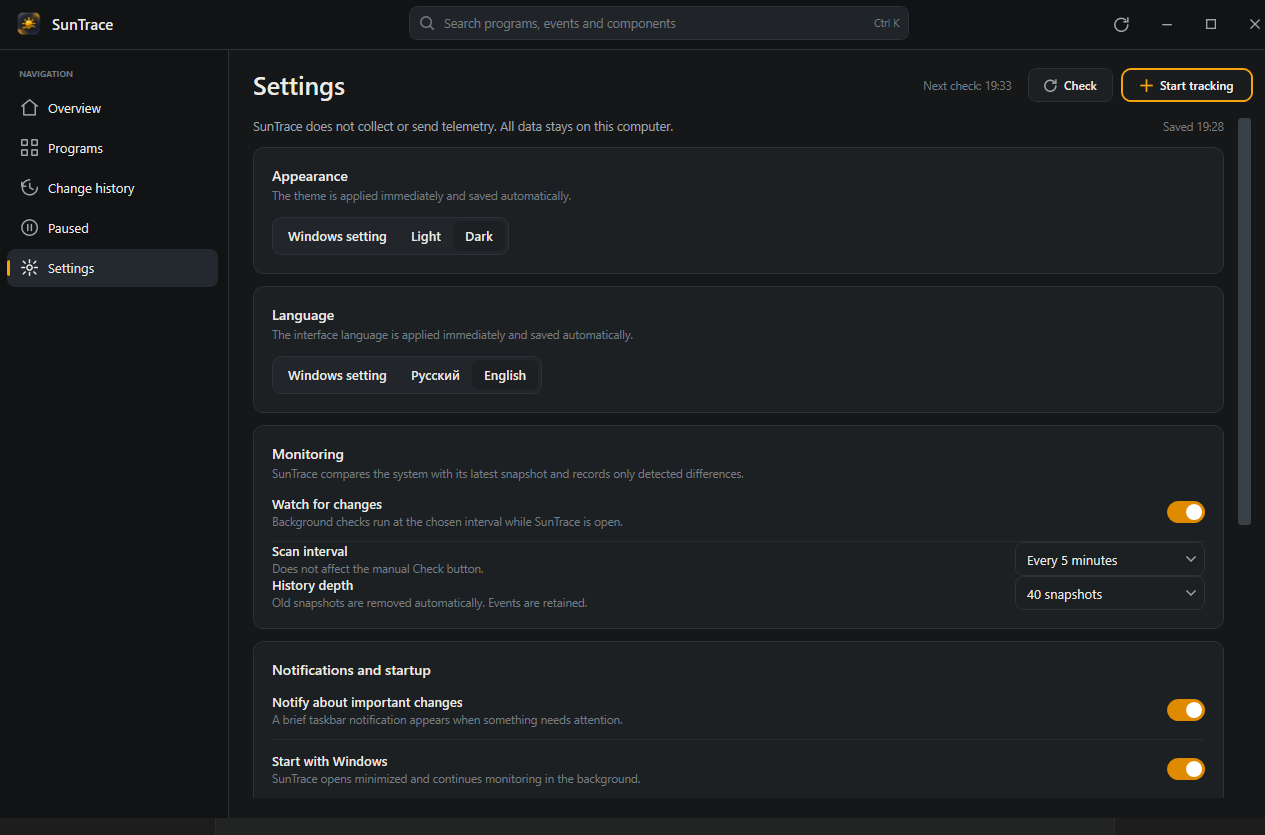
%LOCALAPPDATA%\SunTrace\
Monitoring software should not need your data to be useful.
Compatibility
Windows 10 and 11 get the current .NET runtime and the platform features that come with it. Windows 7, 8 and 8.1 get a separate build on .NET 6, the last long-term branch that supports those systems, with the core monitoring, history, search and Safe Pause behavior left intact.
| Feature | Windows 10 and 11 | Windows 7 and 8.1 |
|---|---|---|
| Installer | SunTrace-Setup-Windows10-11-x64.exe | SunTrace-Setup-Windows7-8.1-x64.exe |
| Supported systems | Windows 10 1809 or newer and Windows 11, x64 | Windows 7 SP1, Windows 8 and Windows 8.1, x64 |
| Runtime | .NET 10, self-contained | .NET 6, self-contained |
| Runtime installation | Not required | Not required |
| Notifications | Toast and Action Center | Tray balloon notifications |
| Notification navigation | Yes | No |
| System theme | Detected automatically | Selected manually |
| Display scaling | PerMonitorV2 | System-based |
| Core monitoring | Full | Full |
| History, search and Safe Pause | Full | Full |
| HTML and JSON export | Full | Full |
| Tray and startup | Yes | Yes |
Windows 8.1 is the target for the legacy build. Windows 8 runs in compatibility mode, and Windows 7 needs Service Pack 1 with current system updates.
Download
Both installers are self-contained, x64 and carry the same version number. If you are unsure which branch you need, Windows 10 and 11 use the first file, while Windows 7, 8 and 8.1 use the second.
For Windows 10 version 1809 or newer and Windows 11 on x64. Built with .NET 10 and the current notification, theme and scaling APIs.
SunTrace-Setup-Windows10-11-x64.exe
63,040,108 bytes, 60.12 MB
f7af6b36898671a287b748e43cd747383cccbdc0e0bd641917eeea9e8267537d
For Windows 7 SP1, Windows 8 and Windows 8.1 on x64. Built with .NET 6, with tray notifications and manual theme selection in place of features those systems do not provide.
SunTrace-Setup-Windows7-8.1-x64.exe
50,215,002 bytes, 47.89 MB
493f9f58f01a0342d93b374b722766b2e086d503d63bfb2860fbbbb15fcddfe6
The source is public under the MIT license. Builds are unsigned when no publisher certificate is configured, and the generated README states that clearly, so compare the SHA-256 above with the file you downloaded before you run it.
Questions
No, the application does not open network connections, does not include telemetry and does not use a cloud service. Snapshots, events, logs and exports stay under %LOCALAPPDATA%\SunTrace on your computer, and you can remove that folder whenever you want.
SunTrace runs with standard user privileges by default. Elevated rights are requested only for operations that genuinely require them, through a separate process with an explicit UAC confirmation, and services or drivers are read-only.
If the database format is incompatible, SunTrace keeps the old file next to the new database as database.legacy-*.db and creates a fresh one instead of deleting your history. Backups and exports remain in their own folders.
The current build supports Windows 10 version 1809 or newer and Windows 11 on x64. The legacy build supports Windows 7 SP1, Windows 8 and Windows 8.1 on x64, with Windows 8.1 as the primary legacy target.
Yes, Safe Pause stores the original command, enabled state and source location before it changes anything, protects that record with DPAPI and checks whether the component changed while it was paused before it restores the previous state.
Yes, the code is published under the MIT license on GitHub, and the release page contains the installers, checksums and the generated README for both builds.
The project does not substitute a self-signed certificate when no publisher certificate is configured, and it states the signing status openly in the generated README. Compare the published SHA-256 checksum with your downloaded file before running it.
SunTrace is small enough to leave running in the tray and quiet enough to forget until something changes. When it does, you will have a dated, searchable explanation waiting instead of a vague feeling that the system behaves differently.